โœจ Open source webcam studio for Linux Mint

Your webcam, finally
simple and powerful

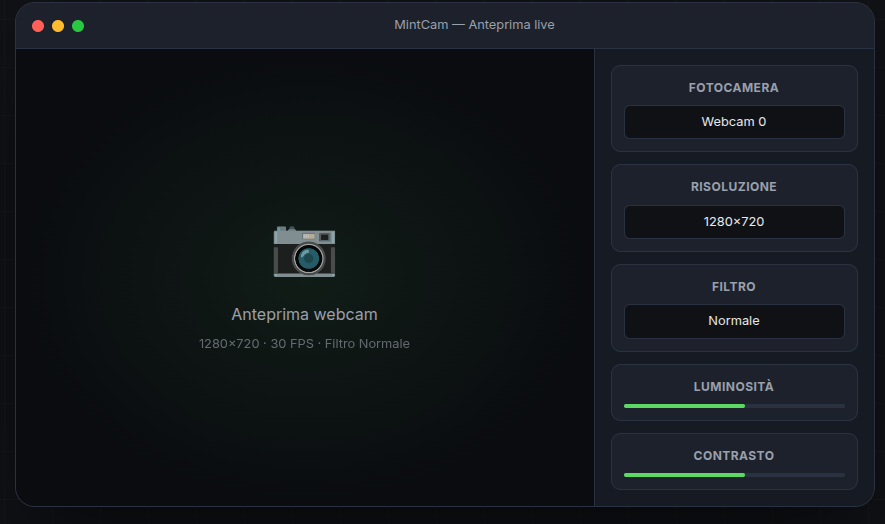
MintCam is a lightweight desktop application that transforms your webcam into a live camera, rapid photo capture, and video recorder designed for creators and video calls.

MintCam screenshot

Everything you need

Clear features, modern dark interface, and zero complications.

๐ŸŽฅ

Live preview

Smooth webcam streaming with OpenCV. Choose device, resolution, and FPS in one click.

๐Ÿ“ธ

Photo capture & timer

High-quality photos with 3/5/10 second timer and burst mode (3, 5, or 10 shots).

โบ

Video recording

Record locally with automatic codec fallback (mp4v, XVID, MJPG). Configurable clip duration limit.

๐ŸŽจ

Filters & adjustments

Grayscale, Sepia, Negative, High Contrast, Mirror. + brightness, contrast, and saturation controls.

๐Ÿ“

Multiple formats

16:9, 4:3, and 9:16 to adapt the frame for social media, presentations, or vertical video.

๐ŸŒ™

Native dark theme

Modern, lightweight interface designed for long sessions. Integrates perfectly with Linux Mint.

๐Ÿ“ท

QR/Barcode scanner

Real-time QR and barcode detection directly from the preview. Copy text with one click.

๐ŸŽฏ

Focus assist

Laplacian variance scoring with visual indicator. Green = sharp, orange = soft, red = blurry.

๐Ÿ‘ค

Face auto-framing

OpenCV Haar cascade face detection automatically crops and centers the frame on the detected face.

โฑ๏ธ

Time-lapse recording

Capture frames at intervals and assemble them into an MP4 video automatically.
Lightweight and solid technology

Written in Python, UI with Qt 6, vision with OpenCV. Minimal dependencies, simple installation.

๐Ÿ Python 3.10+
๐Ÿ–ฅ๏ธ PySide6 (Qt 6)
๐Ÿ‘๏ธ OpenCV 4.x
๐Ÿ”ข NumPy
๐Ÿง Linux Mint 21+
๐Ÿ“ฆ V4L2 + FFmpeg

Install in 2 minutes

Clone, virtualenv, and go. Or install as a desktop application.

# System dependencies sudo apt update sudo apt install python3 python3-venv python3-pip v4l-utils ffmpeg libxcb-cursor0 # Clone and setup git clone https://github.com/jeaders/MintCam.git cd MintCam python3 -m venv .venv source .venv/bin/activate pip install -r requirements.txt # Run chmod +x run.sh && ./run.sh

Get MintCam

Choose your preferred installation method.

๐Ÿ“ฆ

.deb Package

Version 0.1.0 โ€” Install via dpkg, integrates with Linux Mint menu.

Download .deb
๐Ÿ’ป

Source code

Clone from GitHub and run with Python virtual environment.

View on GitHub

Future roadmap

The prototype is already usable. Here's what's coming in the next versions.

Synchronized audio recording

Microphone selection + GStreamer or FFmpeg pipeline for combined audio and video.

Advanced filters

White balance, sharpness, and other professional effects.

Slow-motion & time-lapse

New creative recording modes.

Multi-webcam & fullscreen

Support for multiple devices simultaneously and fullscreen recording.

Ready to try it?

Open source, lightweight, and built for Linux Mint. Clone the repo and get started.

Go to GitHub repository